How to Randomize a List in Excel
In Excel for Microsoft 365 or Excel 2021, type =SORTBY(A2:A20, RANDARRAY(ROWS(A2:A20))) in an empty cell and the shuffled list spills down. In older versions, add a helper column of =RAND(), fill it down, and sort both columns by it. Paste the result as values, or it reshuffles whenever the sheet recalculates.
Last updated
One formula: SORTBY and RANDARRAY
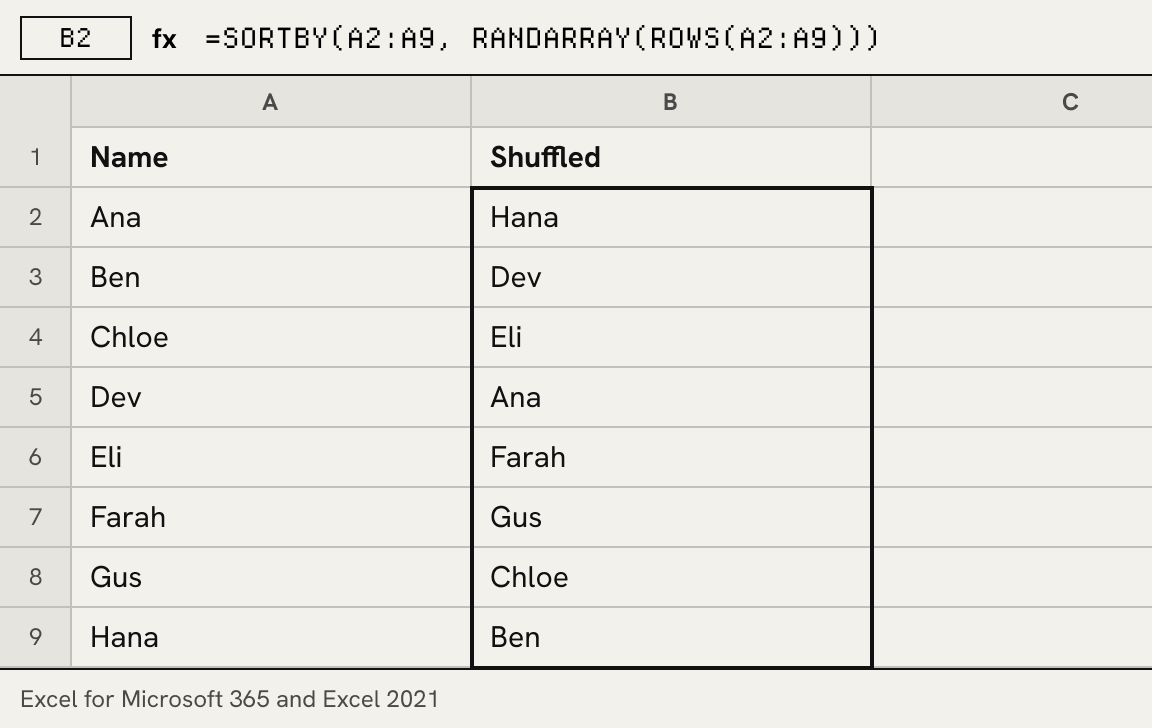
In Excel for Microsoft 365 and Excel 2021, SORTBY sorts a range by another array, and RANDARRAY makes an array of random numbers of any length. Sort the list by as many random numbers as it has rows and you get a shuffled copy that spills into the cells below:
=SORTBY(A2:A20, RANDARRAY(ROWS(A2:A20)))
Type it in an empty column with enough free cells underneath. The original list stays where it is. To shuffle a table and keep each row together, give SORTBY the whole table, for example =SORTBY(A2:C20, RANDARRAY(ROWS(A2:C20))).
Any version: a RAND helper column
Older versions have no single formula for this, but RAND and a sort do the same thing in four steps:
- Add a helper column. In the empty cell next to the first name, for example B2, type =RAND() and press Enter.
- Fill it down. Double-click the fill handle at the bottom-right corner of B2 so every name gets its own random number.
- Sort by the helper column. Select both columns, open Data > Sort, sort by column B, Smallest to Largest, and choose OK.
- Remove the helper column. Delete column B. The names stay in their new random order.
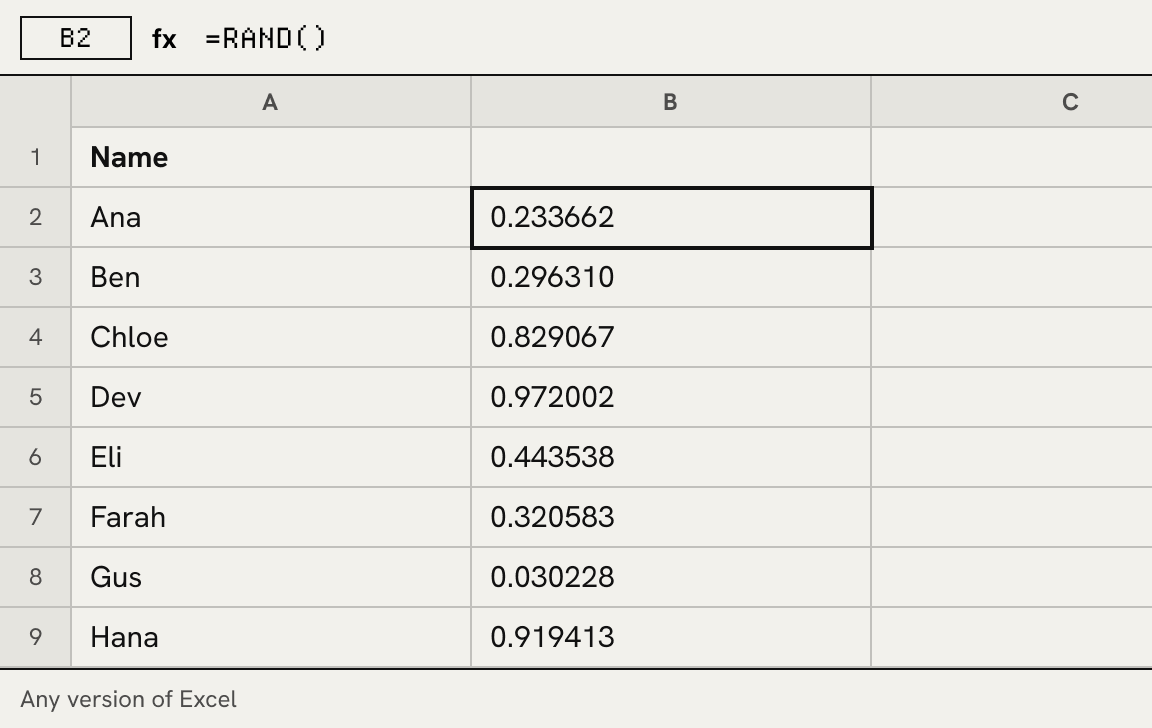
Every time the sheet recalculates, RAND produces new numbers, so sorting again gives a new order. That is handy for drawing again and a trap if you want to keep the result, which the next section deals with.
Formulas for related jobs
| Job | Formula | Works in |
|---|---|---|
| Shuffle a list | =SORTBY(A2:A20, RANDARRAY(ROWS(A2:A20))) | Excel 365, Excel 2021 |
| Pick one random name | =INDEX(A2:A20, RANDBETWEEN(1, ROWS(A2:A20))) | All versions |
| Pick three names, no repeats | =INDEX(SORTBY(A2:A20, RANDARRAY(ROWS(A2:A20))), SEQUENCE(3)) | Excel 365, Excel 2021 |
| Numbers 1 to 20 in random order | =SORTBY(SEQUENCE(20), RANDARRAY(20)) | Excel 365, Excel 2021 |
| Ten random whole numbers, 1 to 100 | =RANDARRAY(10, 1, 1, 100, TRUE) | Excel 365, Excel 2021 |
| Shuffle in Google Sheets | =SORT(A2:A20, RANDARRAY(ROWS(A2:A20)), TRUE) | Google Sheets |
RANDBETWEEN may return the same row twice when copied down, so use the SORTBY form whenever names must not repeat. Outside a spreadsheet, the random number list generator makes the same kind of list, with or without repeats, and keeps a seed so it can be made again.
Google Sheets
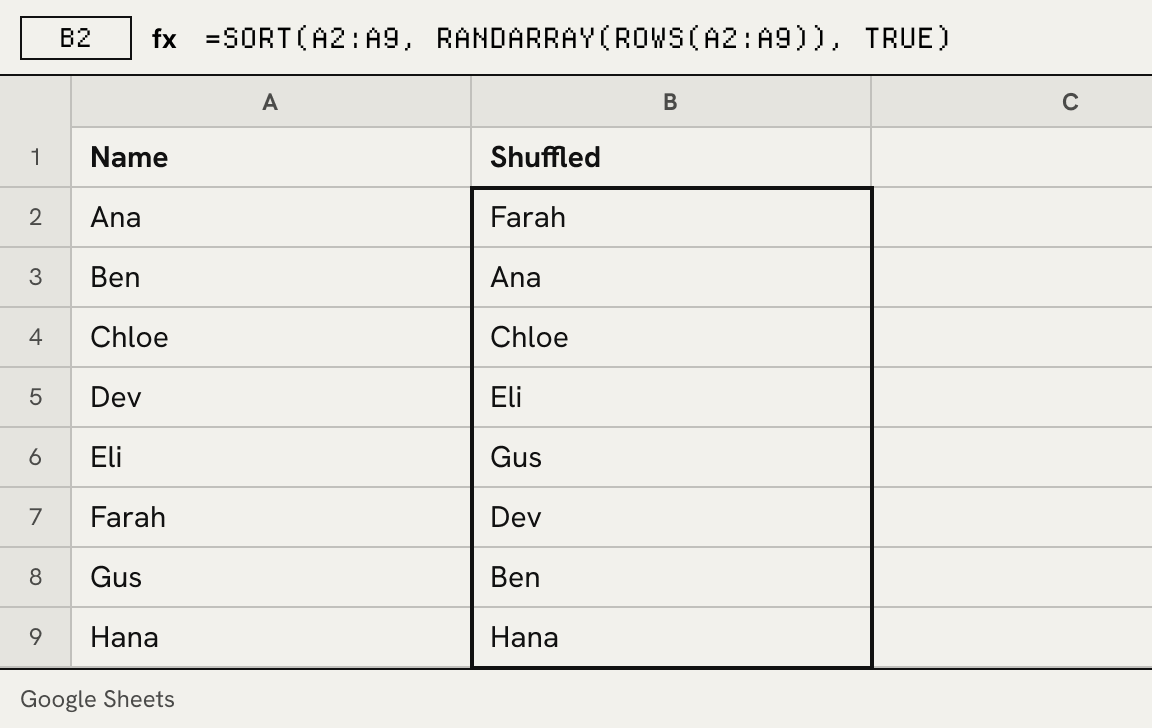
Sheets has a menu command for this. Select the cells, then choose Randomize range from the Data menu, or from the menu that opens when you right-click the selection (Google’s help on sorting). The cells are reordered once, in place, and stay put. For a formula that reshuffles, combine SORT with RANDARRAY as in the table above; RAND in a helper column works as well, exactly as in Excel.
Keeping the result
RAND, RANDBETWEEN and RANDARRAY recalculate whenever anything in the workbook changes, and so does everything built on them. To freeze a shuffled list, select it, copy, and use Paste Special > Values (Paste values only in Sheets) in the same place. The formulas are replaced by the names themselves.
A spreadsheet shuffle cannot be replayed: there is no seed to write down, so nobody else can check the order you got. When the result has to be shown to other people, paste the column into the list randomizer instead and share the link, use the name picker to draw winners with alternates, or split the column into teams with the random team generator.
Questions about Excel and Google Sheets
What is the formula to randomize a list in Excel?
In Excel for Microsoft 365 or Excel 2021: =SORTBY(A2:A20, RANDARRAY(ROWS(A2:A20))). In earlier versions there is no single formula; put =RAND() in a helper column next to the list and sort both columns by it.
How do I shuffle a list in Excel?
Give every row a random number and sort by it. Type =RAND() in the cell next to the first item, fill it down, select both columns and sort them by the random column with Data > Sort, then delete that column. In Excel for Microsoft 365 or Excel 2021, SORTBY with RANDARRAY does the same in one cell.
Is there a randomize function in Excel?
No worksheet function shuffles a list by itself. Excel has three that make random numbers: RAND returns a fraction from 0 up to 1, RANDBETWEEN a whole number between two limits, and RANDARRAY, in Excel for Microsoft 365 and Excel 2021, a whole array of them. A shuffle combines one of them with a sort.
How do I randomize a list of numbers in Excel without duplicates?
Shuffle the numbers instead of drawing them. =SORTBY(SEQUENCE(20), RANDARRAY(20)) returns 1 to 20 in random order, each exactly once. To shuffle numbers already in cells, use SORTBY on that range the same way.
How do I randomize a list of names in Google Sheets?
Select the names and choose Randomize range, or use the formula =SORT(A2:A20, RANDARRAY(ROWS(A2:A20)), TRUE) in an empty column. The menu command reorders the cells once; the formula reshuffles whenever the sheet recalculates.
Why does my shuffled list keep changing?
RAND and RANDARRAY recalculate after every edit, so anything built on them reshuffles. Copy the shuffled list and use Paste Values to freeze it.